Live Weather Forecast
- 4.6
- Rating
- 10.00M
- Installs
- Free
- Price
 Analysis by App-foxy
I tend to judge a weather app by what happens during ordinary rushed moments: checking the forecast before leaving home, refreshing it when the sky suddenly changes, or trying to decide whether a walk is sensible during a busy day. Live Weather Forecast, developed by Ten Stars Lab, is built for that kind of quick decision-making. It is a free weather app for Android, with a store rating of 4.6 from around 125 thousand ratings and more than 10 million installs. Those figures suggest that it has become a familiar choice for people who want a straightforward daily forecast rather than a complicated weather workstation.
After spending time with it, my impression is that its biggest appeal is immediacy. The app presents itself as a live local weather companion, and that focus makes sense when I only have a few seconds to check conditions. I do not open it expecting a deep meteorological analysis. I open it to answer practical questions: Is a jacket sensible? Should I move an outdoor errand earlier? Is the evening likely to be comfortable enough for a walk?
The experience is most convincing when I treat it as a fast reference tool. It is less compelling for people who want advanced forecasting detail, professional weather maps, or a highly specialized storm-tracking workflow. That distinction matters because a clean weather screen can be more useful than an overloaded one, but only if its level of detail matches the way you make decisions.
You May Also Like

 Pandora - Music & Podcasts
Pandora’s Music Is Easy to Start, but Harder to Recover
Pandora’s strength is its low-effort path from a seed to a station. Its weak spot is how much confidence it asks you to place in connection, setup, and quiet recovery.

 8 Ball Pool
 Is Built on Rivalries, Rematches, and Routine
A close look at the rivalries, rematches, shared routines, and unanswered safety questions that turn a quick pool match into a persistent mobile community.

 Samsung Music
’s Quiet Strength Is Playing What You Already Own
Its reach comes less from spectacle than from dependable access to a personal library. That simplicity is both the app’s strongest retention engine and its ceiling.

 AccuWeather: Weather Radar
AccuWeather Review: A Quick, Clear Forecast for Everyday Decisions
For everyday plans, the best forecast is the one you can understand quickly. AccuWeather makes rain timing, radar, and local conditions easy to act on, with a few trade-offs.

 Hill Climb Racing
Why Hill Climb Racing Still Turns Crashes Into One More Run
A tiny car, a bumpy hill and one more upgrade: Hill Climb Racing keeps resurfacing because its simple chaos makes every near-miss feel personal.

 AliExpress - Shopping App
AliExpress Makes Global Shopping Feel Personal, but Shoppers Bear the Risk
AliExpress turns a global marketplace into a pocket-sized discovery engine. Its reach is useful, its shopping loop compelling, and its trade-offs easy to miss.
More From Our News Desk
View All News


How Live Weather Forecast feels during everyday use
I find this app easiest to judge as a small part of a real routine, not as something to browse for its own sake. In this section, I’ll focus on the moments when a quick local check can help me make a practical choice, and on the simple habits that keep that check useful rather than distracting.
Quick checks are where the app makes its best impression
The first thing I notice with a weather app is how much effort it takes to reach the information I actually need. Live Weather Forecast is aimed at reducing that friction. Its short description, “Live Weather,” communicates the basic idea clearly: open the app, look at current local conditions, and use the forecast to plan the next part of the day.
That simplicity is valuable in situations where speed matters more than exploration. Before leaving for work, I can make a decision without turning the check into a research session. The same applies when I am packing for a short trip across town or deciding whether to carry an umbrella. A weather app does not need to feel impressive in those moments; it needs to be available, readable, and easy to understand.
My practical tip is to use the first check of the day for planning and later checks only when circumstances change. Constantly reopening any weather app can create unnecessary noise, especially when the forecast has not meaningfully shifted. Live Weather Forecast works best as a quick decision aid, not as something I stare at throughout the day.
A realistic morning routine
Imagine a weekday morning with a commute, a school run, and an outdoor appointment later in the afternoon. I would use the app in two stages. First, I would check the current local conditions before dressing. Then, instead of repeatedly refreshing while getting ready, I would look again before the outdoor appointment. This creates a useful balance: enough information to adapt, without turning minor forecast changes into a source of anxiety.
This routine also exposes an important trade-off. A concise weather app can help me act quickly, but it does not replace judgment. If conditions are changing rapidly or the activity has serious safety consequences, I would want a more specialized source as well. For an everyday commute or casual outing, the lighter approach is usually enough. For hiking in exposed terrain, boating, or planning around severe weather, I would choose an app designed around those specific risks.
What affects the feeling of speed
Perceived speed is not only about how quickly an app opens. It also depends on whether the screen gives me a useful answer immediately, whether I understand the symbols without stopping, and whether I can recover easily after a failed or delayed refresh. Live Weather Forecast benefits from having a narrow purpose. A focused weather screen generally feels faster than a crowded dashboard filled with layers I never use.
There is also a difference between opening an app and receiving current information. A weather application may appear responsive while the forecast itself still needs to update. I would therefore avoid treating a quickly displayed screen as proof that every detail is freshly retrieved. The sensible habit is to check the displayed timing or update context when accuracy matters, rather than assuming that every opening represents a new forecast calculation.
When heavier use changes the experience
The app becomes more demanding from a user’s perspective when I use it repeatedly during an unsettled day. A single morning check is simple. Checking before every trip, comparing several parts of the day, and watching conditions change can make any weather app feel less decisive because forecasts naturally evolve. In those moments, the challenge is not just app performance; it is interpreting changing information without overreacting.
I find it helpful to separate stable decisions from flexible ones. Clothing and a short walk can be decided with a general outlook. A long outdoor event deserves a wider time window and a second look closer to departure. This approach reduces the pressure on Live Weather Forecast to provide certainty that weather forecasting cannot realistically provide.
For users who keep many applications open, switch rapidly between screens, or use an older phone, the experience may depend more on the device than on the weather app itself. I would not judge a brief reload or delayed update in isolation. The better test is whether the app returns to a usable state without forcing me to repeat the entire process.
Stability and recovery matter more than flashy extras
A weather app earns trust through consistency. I want the same basic task to feel familiar each time: open it, identify my local conditions, read the forecast, and leave. Live Weather Forecast’s focused identity works in its favor because there are fewer reasons to wander through complicated sections.
Recovery is especially important when I open the app in a hurry. If a screen takes longer than expected, I would first give it a moment rather than tapping repeatedly. Repeated taps can make a temporary delay feel worse and may trigger multiple attempts to load the same information. If the app returns after being left in the background, I would perform a fresh check before relying on the result for a time-sensitive plan.
This is one of the less obvious ways to use it well: treat the app as a checkpoint, not an unquestionable authority. When the information looks stale, confusing, or inconsistent with what I can see outside, I would pause and verify through another trusted source. That is not a criticism unique to this app. It is a sensible rule for any live weather service.
Older phones and operating-system compatibility
Live Weather Forecast supports Android devices starting with version 6.0, which gives it a broad compatibility range. That is useful for people who keep a dependable older phone instead of upgrading frequently. At the same time, compatibility does not guarantee identical smoothness on every device. Older hardware may have less available memory, slower storage, or more aggressive background management.
My advice for an older Android phone is practical: keep enough free storage for normal operation, close apps that are genuinely causing trouble, and avoid judging the weather service while the device is already struggling with many tasks. If the app needs to reload after being away from it, that may be a device-management issue rather than a sign that the app is unusable.
On a newer phone, I would expect the basic checking workflow to feel comfortable because the app’s purpose is relatively focused. Still, I would not install it solely because I want the lowest possible resource use. The available information establishes its weather role and compatibility, but it does not justify promises about battery consumption or memory behavior across every Android model.
Free access and the role of optional purchases
The app is free to install, which makes it easy to try without committing money first. Optional in-app purchases are listed at between $2.99 and $3.99 per item. I see that as a reason to explore the free experience before deciding whether any paid extras are worthwhile for my routine.
For someone who checks the weather once or twice a day, the free starting point may be all that is needed. For a person who relies on weather information constantly, a paid option could be considered only after identifying a specific benefit that improves their workflow. I would not pay simply because a weather app has additional choices; I would ask whether those choices save time or make an important decision clearer.
This pricing structure also affects who should skip the app. If you want a completely purchase-free experience with no interest in optional upgrades, examine the app’s screens and settings carefully before settling into it. If you are comfortable trying a free tool and deciding later, the entry barrier is low.
How it compares with the usual weather alternatives
Compared with the weather widget already included on many Android phones, Live Weather Forecast is appealing when I want a dedicated place to check conditions rather than relying on a small glanceable panel. A widget can be faster for a single number or icon, but it may not be enough when I want to focus on the forecast as a deliberate task.
Compared with large weather platforms that combine radar, maps, alerts, long-range outlooks, and specialist layers, this app is better suited to people who prefer a less crowded experience. The larger alternatives are stronger when I need visual weather movement, detailed regional context, or tools for a particular outdoor activity. Their weakness is that they can take more attention to navigate. Live Weather Forecast makes more sense when the main question is local and immediate.
There is also a middle ground. Some users prefer a system weather service because it is already integrated into the phone and requires no extra habit. I would choose this app over that default option only if its presentation feels clearer for my own routine. The decision should be based on how quickly I can make a good choice, not on how many panels an app can display.
Who will get the most from it
I think Live Weather Forecast is a good match for students, commuters, families, and casual travelers who want a familiar daily weather check. It also suits people who find advanced weather applications distracting. The combination of a free starting point, a broad Android compatibility range, and a focused purpose makes it approachable for ordinary planning.
It is less suitable for users who need professional-grade weather analysis, detailed storm monitoring, or activity-specific information. Someone planning a mountain route should prioritize a service built around terrain and safety. Someone organizing a large outdoor event may want multiple forecast perspectives and more detailed local context. In both cases, this app could still serve as a quick secondary glance, but I would not make it the only source.
What I would check before making it my main weather app
I would begin by testing the app during the times I actually need it: first thing in the morning, before commuting, and when weather is changing. I would pay attention to whether the local view is easy to interpret, whether returning from another app feels smooth, and whether I can tell when the information was last updated. These checks are more meaningful than a single impressive first launch.
I would also test it on the phone that will be used every day, not just on a newer spare device. Battery habits, background restrictions, and available memory vary widely between Android models. If the app behaves comfortably during several normal checks and recovers sensibly after being left idle, that is a stronger sign of suitability than any general promise about performance.
My performance verdict
Live Weather Forecast succeeds because it keeps the central task understandable: look at the local weather and make a practical decision. In my experience, that focus gives it a quick, approachable feel for routine checks. Its broad Android support and free entry point make it easy to evaluate on an existing device, while the optional purchases leave room for users who want to explore more.
The limitations are just as important. A focused daily weather app should not be mistaken for a specialist forecasting instrument. It may not be the right choice when I need deep maps, activity-specific planning, or a detailed response to serious weather. I also would not promise identical speed or resource behavior on every phone, especially across older hardware and different Android configurations.
My final recommendation is straightforward: try it if you want a simple local forecast companion that fits into quick daily routines. Use it as a practical checkpoint, build a habit of checking at decision points rather than constantly refreshing, and keep a more specialized source available for high-consequence plans. With that expectation, Live Weather Forecast feels like a sensible free weather app rather than an unnecessarily complicated dashboard.
Ten Stars Lab has positioned this app for everyday accessibility, and the strong average rating of 4.6 helps explain why many people have made it part of their routine. Its current version is 2.1.0.2, and its Everyone content rating makes it suitable for a wide household audience. I would recommend it most confidently to readers who value fast, readable weather checks over an abundance of advanced tools.
FAQs for Live Weather Forecast
01What features does Live Weather Forecast offer?
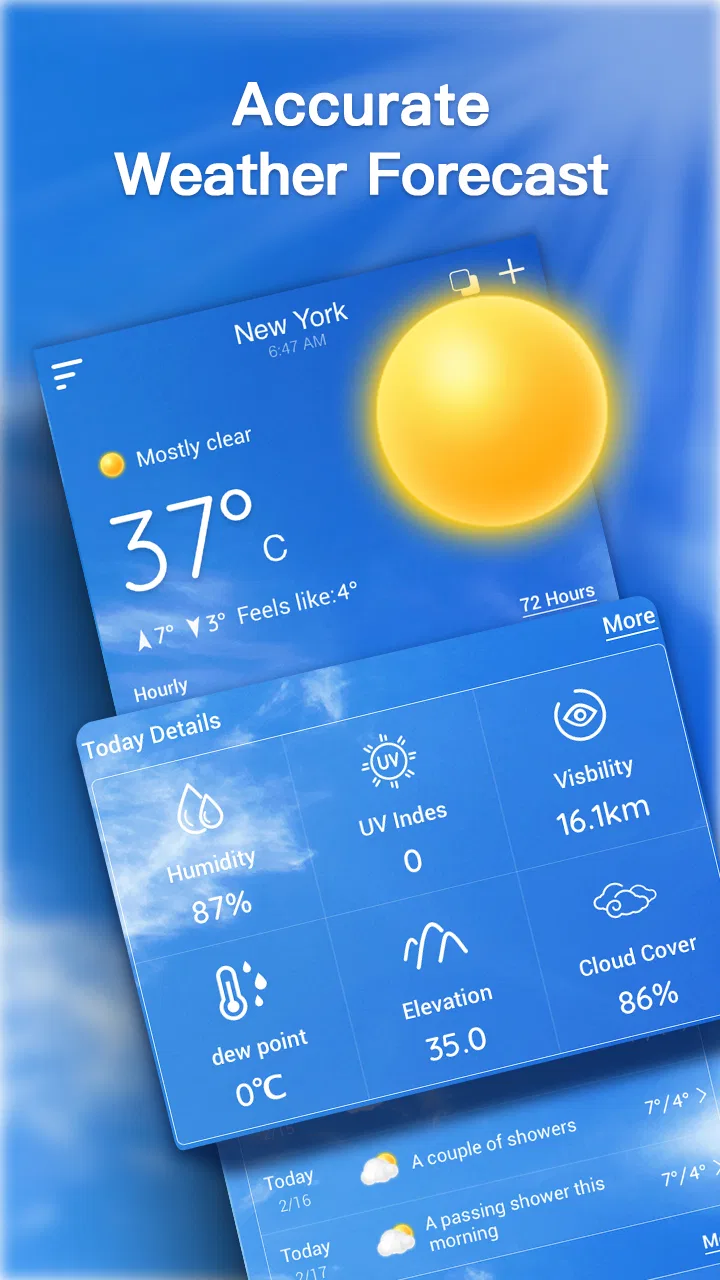
Live Weather Forecast provides real-time weather updates, including temperature, humidity, wind speed, and chance of precipitation. Users can access hourly and weekly forecasts, set location alerts, and view radar maps. The app also offers severe weather warnings to keep you informed and safe. Customizable widgets enhance user experience by providing quick access to essential information.
02Is Live Weather Forecast accurate and reliable?
Yes, Live Weather Forecast sources its data from reputable meteorological services, ensuring accuracy and reliability. The app uses advanced algorithms to deliver precise forecasts, updated frequently to reflect real-time conditions. Users report high satisfaction with the accuracy of the predictions, making it a trusted choice for weather updates.
03Does Live Weather Forecast drain battery life?
Live Weather Forecast is designed to be efficient, minimizing battery usage while providing comprehensive weather updates. By using optimized background processes and regular update intervals, the app balances performance with power consumption. Users can adjust update frequency in settings to further conserve battery life if needed.
04Can I customize notifications in Live Weather Forecast?
Yes, the app allows extensive customization of notifications. Users can set alerts for specific weather conditions, such as rain or storms, and choose the time and frequency of updates. This ensures you receive only the notifications that matter to you, enhancing the app's usability and relevance to your daily schedule.
05Is Live Weather Forecast available offline?
While Live Weather Forecast requires an internet connection for real-time updates, it stores previously retrieved data for offline access. This means you can still view recent forecasts and essential information without connectivity. However, for the latest updates and alerts, an active internet connection is recommended.
Pros
- Accurate real-time updates for various locations.
- User-friendly interface with simple navigation.
- Customizable weather alerts for severe conditions.
- Detailed hourly and weekly forecasts available.
- Integration with calendar for planning purposes.
Cons
- Advertisements can be intrusive during use.
- Premium features locked behind a paywall.
- Occasional delays in weather update notifications.
- Limited widget options for home screen.
- Requires constant internet connection to function.

Live Weather Forecast
Gallery